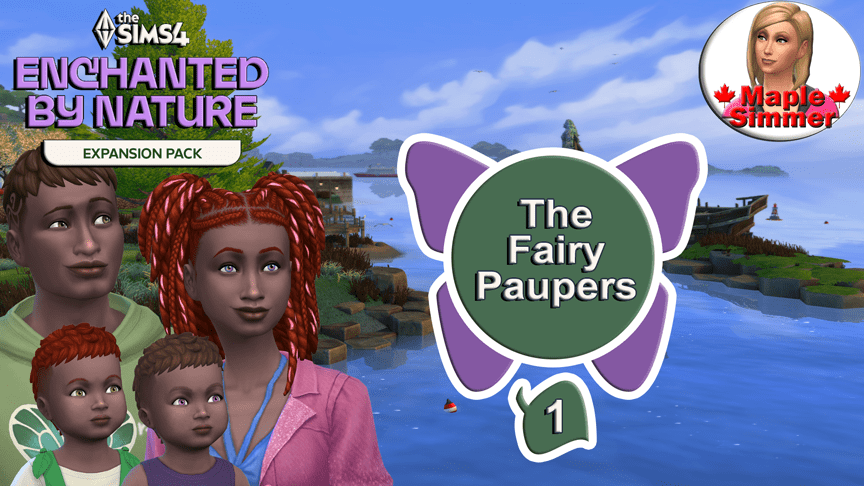
Cody’s wife kept her spellcaster magic a secret from him & disappeared shortly before the twins aged up to toddlers. Glenn got her eyes & her magic while his twin Rowan got their father’s fairy gene! Cody’s teen sister Kenzie is there to help him raise his twins after his wife disappeared. Family helps family, after all that’s what Cody did for her when their parents died in a car accident. #EnchantedbyNature #Fairies #Spellcaster
Cody Reaves is a young adult with the Plant Lover, Mystical & Genius traits. He has the Quick Learner aspiration trait from choosing the Elixir Enthusiast Aspiration. His teen sister Kenzie has the Mystical & Loves the Outdoors traits, with the Collector aspiration trait from choosing the Nature Nomad aspiration. Toddler Rowan is independent and his twin Glenn is inquisitive.
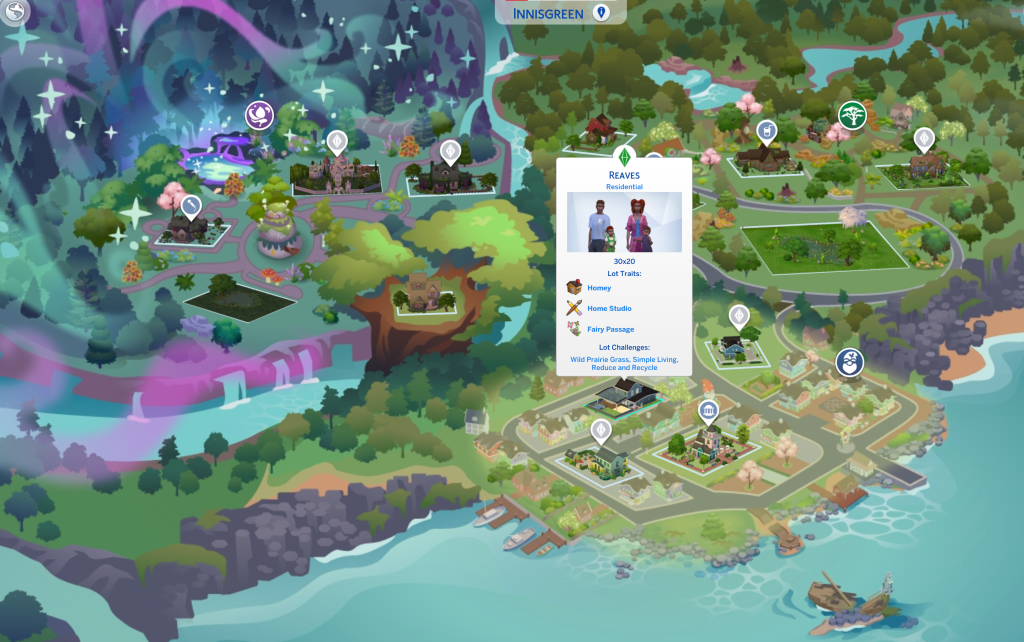
The family is starting with no money on a partially furnished lot in the Coast of Adhmor neighbourhood. Their lot is on 1 Mari Shores Road (I bulldozed the lot and placed their home there; this is a 30 x 20 lot).
Goals:
Raise the toddler twins to teens. *See goals that need to be met before they can age up to children & then to teens.
Kenzie will have the goals of completing scouts, the Goal Oriented Aspiration & Admired Icon aspiration and having at least four of five character values in a positive range before she ages up.
Work on all three new aspirations (Fairy Stories, Elixir Enthusiast & Nature Nomad), get at least the first tier of each aspiration completed with Cody and/or Kenzie.
Cody will join the Apothecary career and see how high he can go (not sure if the bug with sims not getting promoted will impact on this).
Complete as many fables as we can.
Try to make one of each apothecary item.
For the ‘rags to riches’ gameplay element, we need to get to the third tier of the fortune aspiration at a minimum (i.e. complete tiers 1 and 2 of the aspiration).
*Goals for the Twins:
Max all toddler skills & get as many milestones as possible.
As children, complete all eight aspirations (4 base game, 4 Growing Together).
Join scouts and earn as many badges as possible. They will stay in scouts the entire time in this save.
Have at least conflict resolution in a positive range before aging up to teens.
My plan is to hopefully eventually move this family to my Expansion Legacy save and have the twins will join my legacy family as teens in my upcoming Expansion Pack Legacy: Enchanted by Nature Generation Let’s Play. At the time I’m writing this (July 12, 2025) I’m currently holding off on going into that save until the pregnancy bug is fixed.
Note that this is following a very ‘loose’ rags to riches format in that they are starting with a home, albeit very sparsely furnished, but with no money.
They can make money using any options the game allows, though we will try to make money from pack features too.
As mentioned above, I will be having Kenzie doing the Admired Icon teen aspiration so she will list her five Trendi outfits required for that aspiration at a 10x markup, however I won’t go overboard using Trendi to make money.
Here are the general rags to riches rules for rags to riches I tend to follow in my rags to riches tutorial video, and my blog post.
*but taken down, I expect temporarily. I will add a link to the final update notes when they go live. This is just a copy and paste of what was on the site.
Let’s get down to Business.
February 25, 2025
PC: 1.113.277.1030 / Mac: 1.113.277.1230
Console: 2.08
Sul Sul Simmers, and Bok, Ciao, Cześć, Dia Dhaoibh, Guten Tag, Hallo, Hola, Hej Hej, Helô, Moikka, Привіт, Salut, Salutare, Salve, Sveiki, Merhaba, Tungjatjeta, здравей, 你好, こんにちは, and Hello from around the world! Are you ready to elevate your game experience with a wave of new features and gameplay additions? Then let’s take a look at what this latest The Sims 4 free base game update has in store for you!
-The Sims 4 Team
What’s New inThe Sims 4?
The Burglar is Back!
Burglar
Get ready to lock your doors (or maybe you want to leave them unlocked? How daring of you!). Definitely keep an eye out for this sneaky character: the Burglar is back and ready to cause some mayhem! Watch them rob residential lots and Small Businesses (in the Businesses & Hobbies Expansion Pack), engage in dramatic fights, or make a daring escape. And yes, there’s even some updated toe-tapping music to go along with their heists!
You can read more about Robin Banks in our Dev Diary here.
Burglar Alarm and Police Officer
Install the handy Burglar Alarms on Residential or Small Business Venue lots to keep your Sims’ belongings safe. Upgrade them to break less often, summon a PoliceOfficer, or give those Burglars a shocking surprise! The Sim officers arrive dressed in their uniforms, and they’re ready to tackle those pesky Burglars.
New Burglar Lot Challenge: Heist Havoc
Feeling adventurous? This Challenge cranks up the Burglar activity for those who love a bit of excitement.
Heist Havoc:Lock the doors and hide all valuables! Burglars visit more often on this lot and the trusty alarms have a mind of their own.
Create a Sim
Tattoo Transformation Time!
Get ready to unleash your inner artist with new Tattoo customization options! Now, you can tweak the Hue, Saturation, Opacity, and Brightness of your tattoo designs using sliders just like the ones for makeup. Your Sims’ ink has never been this vibrant!
You will also find that the tattoo catalog now has new filters for different tattoo locations to make tattoos easier to browse.
A New Gallery Category: Tattoos!
The Gallery now has a new Category: Tattoos! Players with the Businesses & Hobbies Expansion Pack will be able to create, share, and use tattoos with multiple layers and custom art.
As always, if you are ever browsing in-game or on the Gallery webpage and encounter any inappropriate content or comments, report it by selecting the flag icon available. For more information on content guidelines and how to flag gallery content, head over to EA Help.
New Colors and Patterns for Tops
We’re also adding The Sims 25th Birthday apparel! Each top fits feminine and masculine frames, so your Sims outfits can match the real life versions available on Shop the Sims while stocks last.
The Sims 25th Embroidered Crewneck:
The Sims 25th Pixel Plumbob Hoodie:
Build Mode
Fresh Colors for your Countertops
Spice up your Sims’ culinary spaces with four fabulous new color variations for the BlandCo Contemporary Base Game kitchen set! Transform those kitchen counters and cabinets with a fresh burst of style. Get ready to cook in vibrant new hues!
Usability Improvements
We’ve added a couple of small improvements to Build Mode for better navigation:
When opening Build Mode for the first time, it now shows Objects by Room instead of Styled Rooms. For existing Simmers, Build Mode still remembers the catalog last viewed.
New icons have been created for Study and Dining Room in Objects by Room.
Live Mode: Expanding on Existing Features
Club activities from more packs
For players who own Get Together, exciting new club activities await! We’ve added a bunch of new activities from other packs allowing your Sims to enjoy viewing Collectibles, sipping tea, using the Activity Table, playing table games, giving massages (Spa Day Game Pack), playing with pets (Cats & Dogs Expansion Pack), making and drinking Nectar (Horse Ranch Expansion Pack), arranging flowers (Seasons Expansion Pack), doing laundry (Laundry Day Stuff Pack), and many more. Your clubs have never been this engaging!
More Mentorship Opportunities
Mentorship has experienced an overhaul, with more Skills that can be mentored and the ability to offer Mentoring directly from Skill objects such as Mischief Skill at a Computer or a Tablet, or Flower Arranging at the Flower Arranging bench (requires Seasons Expansion Pack). Your Sims will be mastering new Skills in no time. Let the learning begin!
Your Sim is Here
Where is your Sim?! When choosing a travel destination, the game now shows your Sim’s current location in the Neighborhoods view and Worlds view.
More Creator Kits Coming Soon
We’ve been so excited to share four Creator Kits with the Sims community since their launch in November 2024. These are the kits that custom content creators pitch, design, and develop alongside The Sims team to bring their unique style to The Sims 4. We recently released Pierisim’s Refined Living Room and Madlen’s Business Chic, and have more Creator Kits on the way!
Keep an eye out for Syboulette‘s Sleek Bathroom and aharris00britney‘s Sweet Allure Creator Kits—coming to The Sims 4 in April!
Follow our channels across Discord, Instagram, TikTok, X, and YouTube to be informed of when exactly they will be released.
Bug Fixes
Base Game / Multipack
Top Fixes
[EA Forums] You can now place objects next to raised platforms, even if the platform is on the other side of a wall, without running into the “Can’t intersect obstructing objects” error message.
[EA Forums] Male Sims with a feminine frame can now wear certain tops without any spine distortion.
[EA Forums] Great news, navigators of narrow spaces! Sims have sharpened their obstacle-avoidance skills and no longer find themselves stuck in walls. Say goodbye to unexpected wall-phasing and teleportation tricks!
[EA Forums] When placing larger lots onto smaller ones, basements will now stay put as long as they fit within the boundaries. If they’re a bit too big, they’ll just be trimmed down to fit snugly without disappearing. Happy building!
[EA Forums] Money matters sorted! Whether you’re pulling a family from the Gallery in Create a Sim or placing them directly in the world, your Sims will now enjoy the best of both worlds financially. No more surprise riches or unexpected poverty—just balanced household funds for all!
Live Mode
[EA Forums] Privacy restored! The mysterious disappearing bathroom walls at the Willow Creek Gym have been found. Your Sims can now work out and wash up without any peek-a-boo surprises!
[EA Forums] Altering your Sim’s look with the Get Famous Stylist Chair, getting a Tooth Extraction from Growing Together, or putting on that fabulous Crystal Creations Jewelry will no longer lead to unexpected body or face transformations.
[EA Forums] Renaissance Sims will now need to actually climb the career ladder to complete Renaissance aspiration career level tasks. No more shortcuts through University—time to earn those promotions the hard way!
Upgrade time! Mentor interactions are back for washing machines, so your Sims can learn the ropes of repair without a hitch.
No more fashion faux pas! Nina Caliente’s body and clothes textures appear flawlessly across all graphics settings again.
Several Skill icons enjoyed playing hide-and-seek in the interaction menu! They’re now back where they belong.
The Cozy Wreaths from the Cozy Celebrations Event have shed their Scroogy ways and now happily let Sims enter your front door to celebrate Winterfest instead of blocking their path.
Enjoy seamless imaginary conversations for your toddlers—chats with stuffed animals are now more performant than ever!
Build Mode
The ElectroDance Floor can now be found in the “Life Event Activities” category under “Activities and Skills” in Build Mode. Dance floor dilemma solved!
Create a Sim
[EA Forums] Body sliders in Create a Sim are back on track! Adjusting the belly, butt, and thighs of male Sims will no longer transform certain full-body outfits into avant-garde fashion.
This SDX goatee (ymFacialHair_SDX037Goatee) has found its rightful place under the Goatee category. No more hide-and-seek for your Sim’s facial hair! (Was there a memo we missed about a great hide-and-seek event? scratches head)
On the contrary, this SDX scarf (yfAcc_NecklaceSDX037Scarf) really wanted to be seen and appeared twice in the catalog. This has been fixed now.
Get to Work
Mannequins have gone back to their less-fabulous existence as we fixed eyelashes being added to mannequins when applying Styled Looks.
City Living
No more magical floating flowers! Those unanchored blooms have been tidied up during festival events, keeping things grounded.
Get Famous
[EA Forums] Whoops! Some Sims were accidentally posing as celebrities right after moving in. While accidental fame (or no fame) is fun, it’s not the best start for new friendships. Sims will earn celebrity Reputation and Fame the honest way now!
Discover University
[EA Forums] Academic overachievers rejoice! Teens who graduate from High School early and head to University can now share their skills through Tutoring. Time to share that knowledge!
[EA Forums] Sims’ ears now wear Gauges without those pesky jagged edges.
Snowy Escape
[EA Forums] Sims see their active Lifestyles not greyed-out, but in full color now.
Cottage Living
[EA Forums] When Animal Aging is turned off, you won’t receive any more surprise visits from Grim Reaper for your elderly Chickens. Let them enjoy their golden years in peace!
[EA Forums] Pumpkin preservation perfected! Now, you can conserve not just orange, but also green and white pumpkins.
High School Years
[EA Forums] The barista working at the ThrifTea Bubble Tea Counter has returned to their duties, ready to serve your Sims delicious drinks and snacks.
[EA Forums] Teens these days! Your teen Sim was feeling the pressure of being watched at school and tried to keep some events off Social Bunny. But fear not! We’ve fixed it, so now they can share all their high school adventures without feeling like they’re under surveillance.
Lovestruck
The Temple from Jungle Adventure was a bit too adventurous for a date night! It’s now off the venue list when you Ask to Create a Date or Hangout, ensuring your dates stay less jungle, more jingle.
Parenthood
[EA Forums] Children were channeling their inner tornadoes and causing messes too often! Now, they’ll only create regular messes if they haven’t learned responsibility yet.
Dream Home Decorator
[EA Forums] Interior Decorators were seeing 0 earnings in their results pop-up after completing gigs. Your Sims’ hard-earned Simoleons will display correctly in the notifications and in the results pop-up going forward.
In addition, the “Stay on Lot” and “Go Home” buttons will appear and work as expected now after completing a gig.
Nifty Knitting
[EA Forums] Sims can now successfully “Resume” or “Frog” their Knitting Projects. The actions will queue properly, ensuring your knitting plans are back on track.
[EA Forums] Sims knitting beanies, socks, or plant holders now walk to a seat to resume their projects. No more standing mishaps!
[EA Forums] Sims can now switch rocking chairs mid-knit without getting tangled up and losing track.
We all love knitting, but now when you cancel a knitting interaction, your Sim stops right away.
Home Chef Hustle
[EA Forums] When the “Convince to Buy” interaction is used on other Sims, they will no longer be invited and allowed to walk into your Sim’s house. No more crashing on the couch!
Crystal Creations
Crystal Tree enthusiasts, rejoice! Your Notebook entry now appears after Research so you can safely keep track of your sparkling studies.
Balance restored! The “Botanical Earrings” icon is now perfectly centered in the interaction queue.
I discuss the Oct 22, 2024, Sims 4 base game update, including what’s new, what was and wasn’t fixed, the mod impact and the new bugs since the update. I also review some other common bugs from before the update. What was your favourite thing in the update & have you experienced any non-mod related issues? 😊🍁 #Sims4 #GameUpdate #Sims4Bugs #Sims4Mods
Many mods broke with the update, including most popular mods (MCCC, UI Cheats to name a couple, those have both been updated). As of the time I’m typing this, many others, though not all, have been updated.
Two good sources to see which of your mods was impacted are noted below:
Note that injection tools that are used by other mods broke with this update. The two main ones are XML Injector and Lot 51 Core Library. Both were updated on Oct 23/24, though XML Injector was reupdated on Oct 23/24. There are two other injection tools that were still broken last I looked on Oct 25/24, I see them mentioned on Luth’s list.
Also, some loading screen mods broke with the update, according to SimMattically, it looks like pack pictures may be replacing the plumbob at some point, or something like that. The tooltips will remain. Original tweet: https://x.com/SimMattically/status/1849068375101567463
Follow Up tweets:
To be fair, I based my original tweet on the code alone, before seeing how it looks. It mentioned a DLC banner with a name and icon, so it seemed like an ad.
The design itself is nice! It’s only frustrating that they turn an opportunity for aesthetics into an advertisement. 🙌🏻
I discuss my thoughts on what was covered in the Life & Death Gameplay trailer & some additional information revealed from SimGuru tweets. What was your favourite thing from the trailer? 😊🍁 #Sims4 #LifeandDeath #Speculation
We thought of this! Per lore he's an entity and doesn't really have a face; you never see it in game without cheats. His babies will be born from a new genetic preset of him so long as you're on a fresh save.
In the picture above – that is a lack of presets you're seeing for his facial features. Before now, you'd only ever see Grim's face via cheats so he didn't need them at that time.
Yes! What @jackofallgames7 said above is accurate about it being encompassing. But also, Bucket List and Unfinished Business are the primary ways to progress on your Soul's Journey (and they're tracked in the same UI) – to explain why the trailer goes straight into them.
jackofgames tweet re their understanding of Soul’s Journey:
My understanding is it collates different systems, like wants, aspirations etc. and brings them all together as one giant system, alongside new systems like the bucket list.
It seems to me that it’s organising all of these seperate systems into one big one.
Love when Grim says, "The truth is that old age, fire, and anger claim more Sims lives than any other form of death." Because that's an ACTUAL Sims 4 fact! https://t.co/kbwBe96HjX
TheSimsDirect Tweet Thread on Update Being Next Week:
On Tuesday, Oct 22, a big base game update is coming to #TheSims4. If you use game mods & custom content, you may want to remove and backup save files. This will also give creators time to update their content to prevent potential in-game issues.
— The Sims Direct Communications (@TheSimsDirect) October 18, 2024
Additionally, we’re working on resolving the reported issues tied to the Reaper's Rewards Events. Due to the varying details around each report, we've consolidated the issues to support the team in their investigations. For further details & potential workarounds:…
— The Sims Direct Communications (@TheSimsDirect) October 18, 2024
Time Zone converter for when 10 am Pacific, Oct 22, 2024 is in your own time zone:




 Maple Simmer