Infant and Baby Update (Sims 4)

Summary of the Infant and Baby Update part of the March 3, 2023 Developer Livestream:

Note this will be included in the base game update coming Tuesday, March 14, 2023. Usual time for updates is 10 am Pacific. Link for when that will be in your own time zone.

I also have a video overview.

New Build/Buy Stuff!

We’re getting lots of new things including the following:

  • a new bassinet!
  • 3 new infant sensory toys,
  • more décor (including two rugs with different patterns),
  • new bookshelf for the wall (noticed an option on it to ‘read to children’,
  • more décor (including two rugs with different patterns),
  • different cribs, including one portable crib,
  • also, some cribs can be converted to toddler beds at a cost,
  • some cribs can be upgraded, one upgrade they showed in the livestream was a mobile (two variations, one birds, one space theme) could be added.
  • new fence with new locking option ‘baby proofing’. This can be applied to doors and gates.

“Science Baby!”

Your sim can now have a baby in a new way and they can have it on their own (i.e. only using their genetics) or they can choose another sim that they know and have a friendly or romantic relationship with (but does not have to be a romantic relationship)

It costs 1,200 simoleons and the sim initiating it will leave and when they come back the baby will be on the lot. It seems like how adoption works. Sims using this option will not experience pregnancy.

Babies also getting an update!

The game currently only use 3 skin tones for babies, they will now get the full gamut.

Babies will get an eye colour to reflect their eye colour and their movements have been changed to make them seem more like newborns.

Baby life stage will be shorter, other life stages extended so you can be around to hopefully enjoy grandkids (no details on how they were lengthened, I wonder if this is only going to be for normal lifespan since the baby life span on the long lifespan has already been shortened )

Menu on baby reorganized to have care interactions in one place.

Kids and toddlers can now ‘entertain’ babies.

Interactions more seamless, they won’t put the baby down before they do the next interaction.

If you have Seasons, the baby will react to being outside in bad weather (cold/rain/storms)

Sims will autonomously look after babies better than before.

Now can set in CAS under gender options whether a sim produces milk.

Infants:

We can control them, they mention they have the same needs as other sims but I didn’t notice them showing their needs menu (i.e. bladder, hunger, energy, fun, attention and hygiene).

You can set a preference to bottle or breast feed on the infant (and on a baby/newborn).

6 traits: Cautious, Sensitive, Calm, Intense, Wiggly, Sunny

Infants can be fully customized in CAS when you create them. If you age them up, you will not be able to change their traits without cheats.

Stork bites, which have different colours and will ‘fade’ (i.e., go away when they age up).

However we are also getting birth marks for all ages, which have different colours to go with different skin tones as well as stretch marks and C-section scars, which The Sims previously tweeted about, and I have a separate video on.

Infants will also have Attachment – a well cared for infant (i.e., sims are caring for the infant and spending time with them) will not get as upset about waiting as they know their needs will be looked after.  An infant who hasn’t had their needs met in the past will be extra sad about waiting for their needs to be looked after. When infants age up to toddler, they can age up with one of the following three traits depending on how well they were looked after.

  • Happy infant for a sim that formed a good bond and therefore trusts that sims have good intentions.
  • Top notch (natch?) infant if they were very well cared for, which also means they trust their caregivers specifically.
  • Unhappy infant, if you intentionally push to the other end, this will make them more skeptical of sims, they have a hard time trusting the intentions of those sims.

There is a selection of different baby foods you can feed your infants (these are the ones I saw, but it looked like there were a few more):
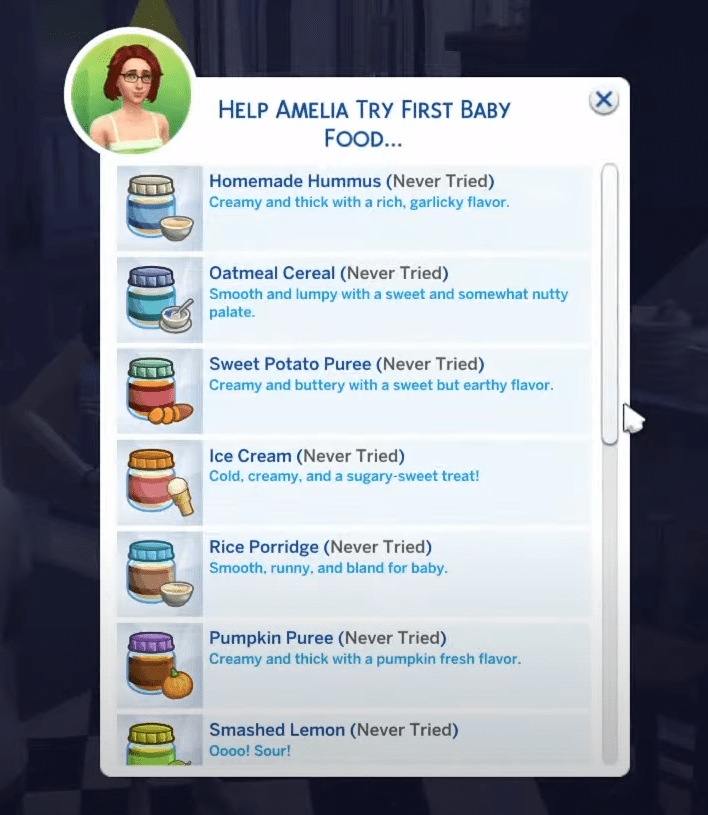
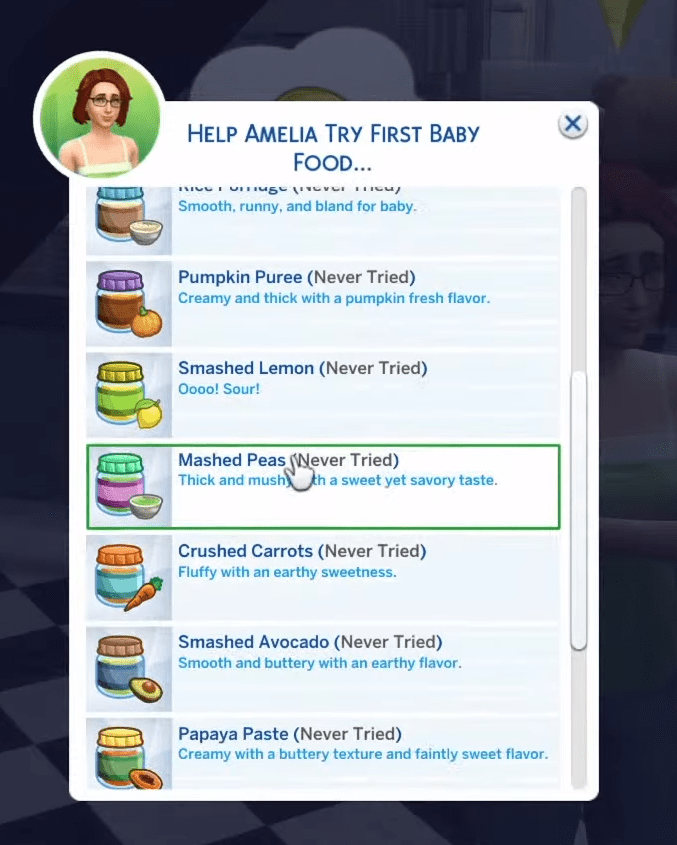
Infants will either like, love, be unsure or dislike a new food. Their trait can impact how they react.

Note that while you can feed the infants in the high chair, exploring foods in the high chair is more about establishing moments of care, trying new things & exploring the world around them. Infants will primarily satisfy their hunger by being bottle or breast fed.

Highchairs will be fixed in the update. Sims will not take their toddlers in and out like they currently do. This fix will also apply to infants use of the high chair.

Cross Pack Integration Mentioned:

Cats and Dogs – infants can pet dogs (hopefully cats too!)

Parenthood – higher parenthood skill helps with parenting infants. As it increases, you will find new ways to take better care of your infants.

Nifty Knitting – infants get onesies (I wonder if they will be toddler onesies or the baby onesies).

Contact Me:

If you have any questions or want to share your own Sims game play with other Simmers head over to my Facebook group, https://www.facebook.com/groups/maplesimmersimssanctuary or my discord, https://discord.gg/aJaX7Pca8A
Pre High School Year’s Game Update (Sims 4, July 2022)

Video link

After the Update:

Link to Update Notes: https://www.ea.com/games/the-sims/the-sims-4/news/update-07-26-2022

Link to Forum Post Tracking Mod Impact: https://forums.thesims.com/en_US/discussion/1001789/broken-updated-mods-cc-july-26-22-sexual-orientation-high-school-etc-patch/p1

My video on the Aging Bug after the update, this goes over what it is and how to work around it & link to EA AHQ bug report.

Expected Timing

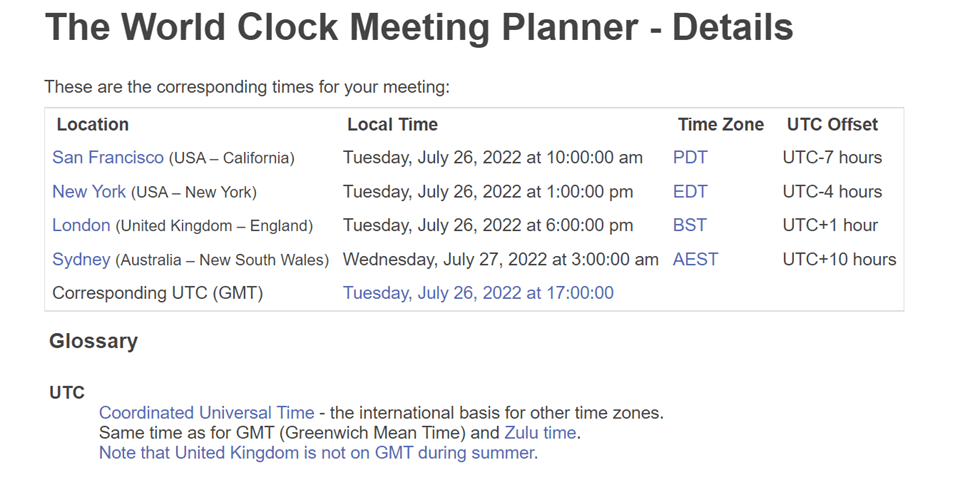
Game updates usually go live at 10 am Pacific, therefore based on that here’s when the update is expected in some time zones:

Link for when that’s expected in your own time zone.

How to Prepare (Computer Players)

Before you update:
1) Make a back up of your saves
2) Move your mods folder to your desktop
After you update:
3) Repair your game in Origin
4) Delete your localthumbcache file

Note mods and custom content will be automatically disabled. This is a big update so mods are expected to break.

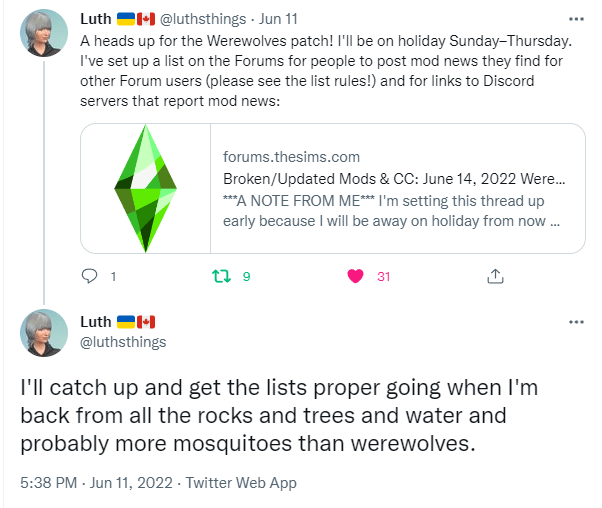
Luth always has a good mod tracking post over on the forums. I’ll add a link when it’s available. Here’s a link to the Werewolves tracking post to start, it should also link to the new one once it’s available.

For more details see my (Maple Simmer) tutorial video 

What’s Expected

What’s New:

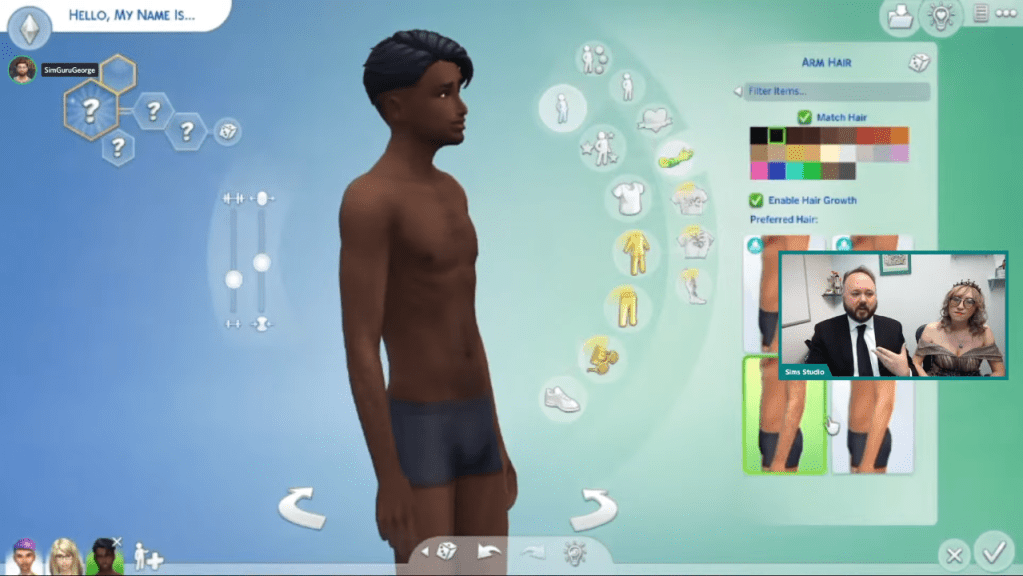
1. Body Hair – for arms, legs, torso (chest) and back. It’s supposed to be available for both genders.

High School Years Expansion Pack adds the ability to shave, this also includes facial hair.

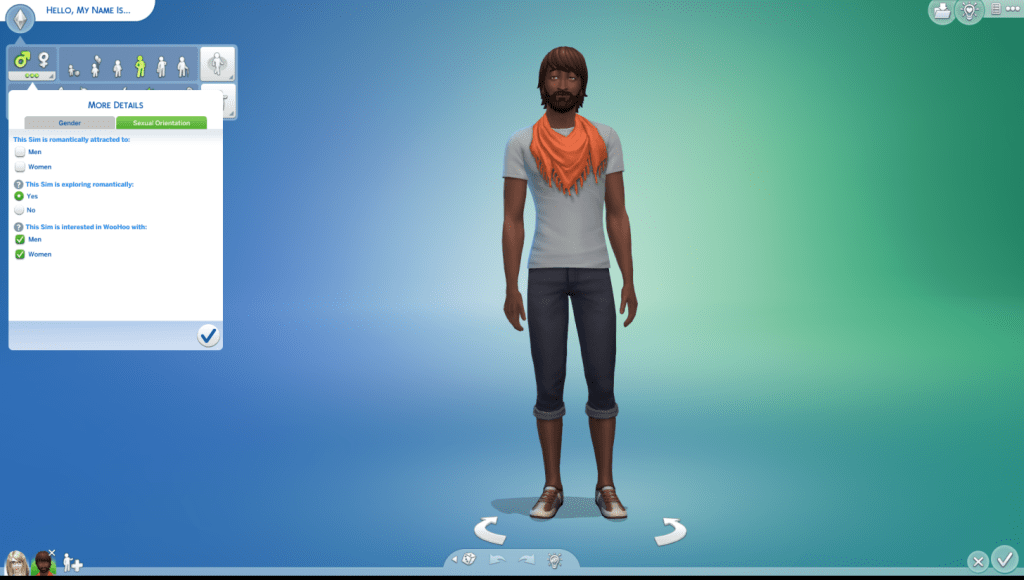
2. Ability to set your Sims’ Sexual Orientation:

From gender settings which is available for teens and up
Note the default settings are what the game currently goes by, just didn’t show before and now we can change and set it as we wish. Existing sims will keep default settings unless we change them.

EA Blog post with more detail

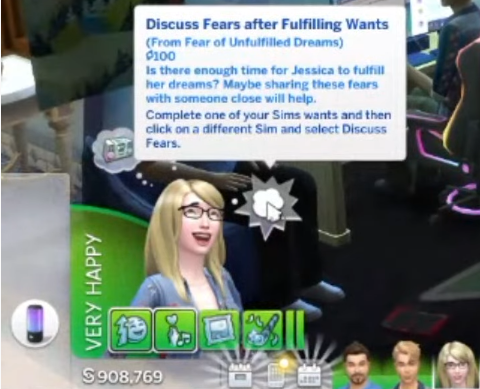
3. Wants and Fears (replaces whims),
There are three want slots and three types of wants – long term, short term & situational.

Wants are supposed to be based on traits & desires.

We will also get one fear slot.

Similar to whims, we still earn reward points from them.

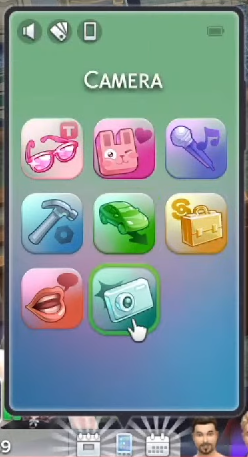
4. New Phone UI & More Phone Skins

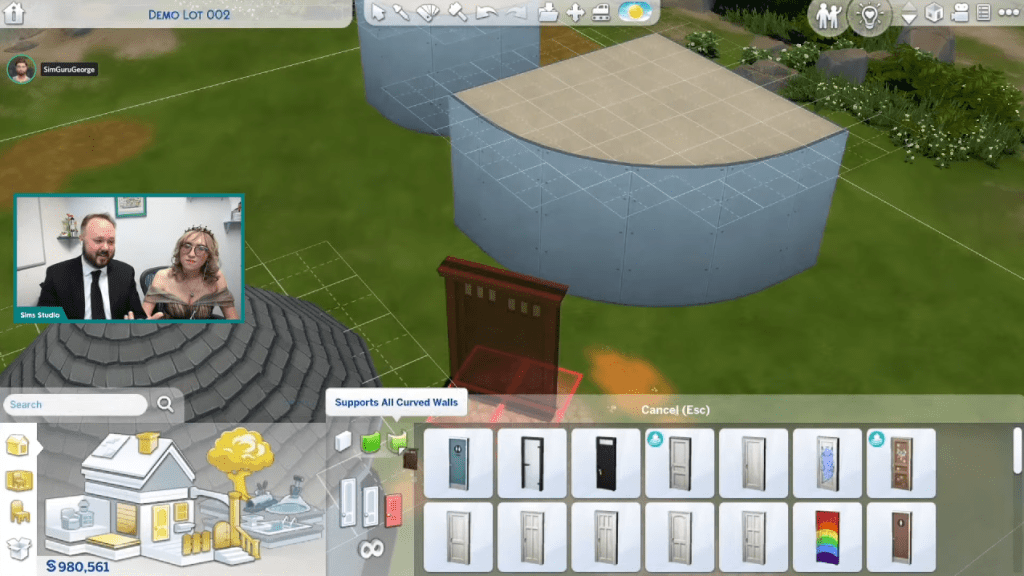
5. Curved Rooms

Three curved room sizes.

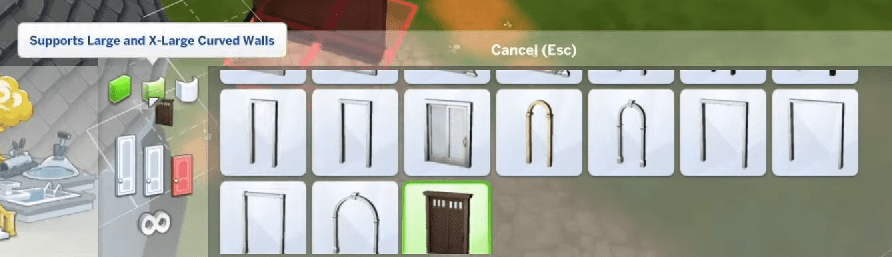
There is a sort function for doors and windows that should work better with curved walls and it’s sorted based on size of curve.

Can’t free build with curved walls, work similarly to current curved porches.

James Turner has a good video where he did some building with curved rooms

Bug Fixes:

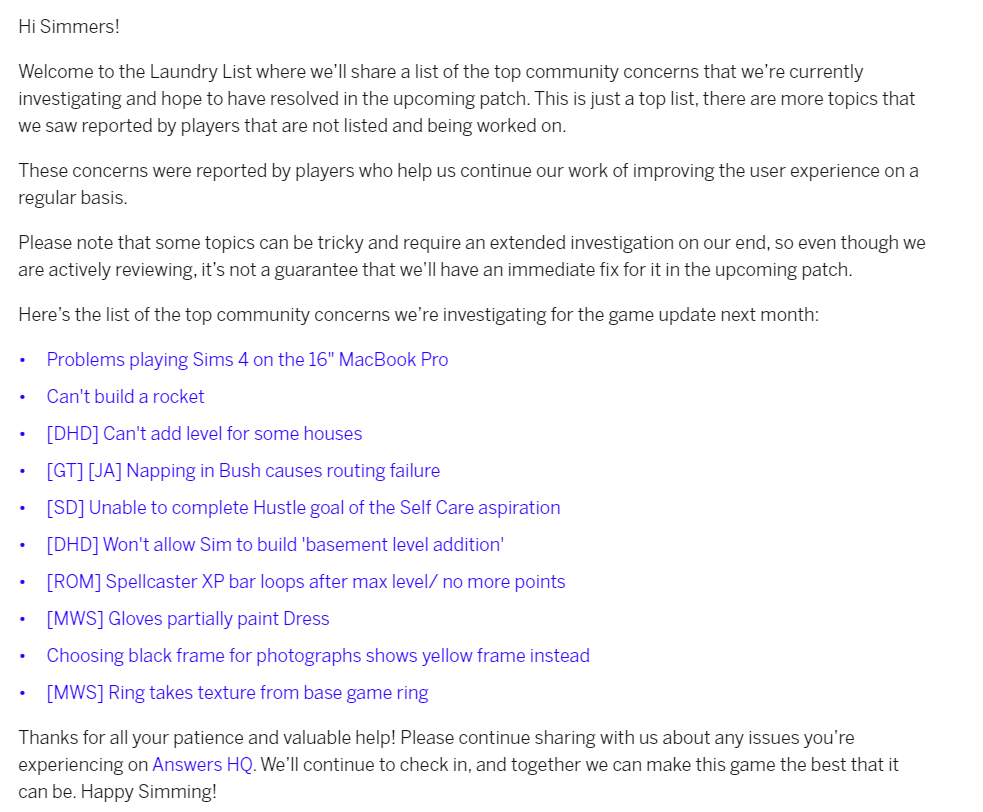
Per the Jul 19/22 laundry list:

https://www.ea.com/games/the-sims/the-sims-4/news/laundry-list-july-19th-2022

I did a separate video on the laundry list.

Contact Me:

If you have any questions, need troubleshooting help or want to share your own Sims game play with other friendly Simmers please head over to my Facebook group, Sims Sanctuary or my Discord. Either I or other members will try to answer any troubleshooting questions and I also have some guides in my Facebook group. I can also be found on Twitter and Instagram.

Surprise SDX & Expected Timing & Content of Jun 14/22 Game Update (Sims 4)

See my video overview here

This blog post includes links & summarizes what was in the video::

I) June 13/22 Surprise SDX
II) June 14/22 Game Update (expected timing, what’s expected in it & how to prepare, &
III) Random Tweets re Items in the Werewolves Game Pack (Jun 13/22).

1) Surprise SDX (June 13/22):

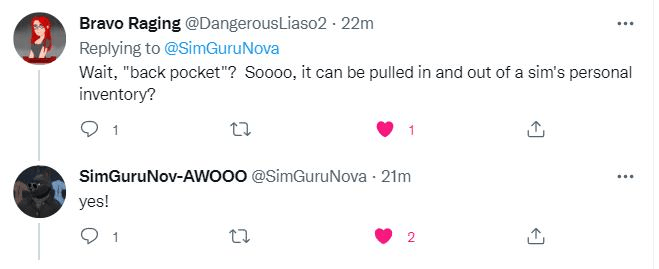
FYI, if you go in your game you will see there is an SDX, this is just to prepare the game for tomorrow’s update, no new content was added per this tweet by the Sims. But it looks like we’re getting meteors to go along with the new ‘back pocket observatory’ (i.e. the new telescope, see below for more information on that!)

II) June 14/22 Game Update

Expected Timing

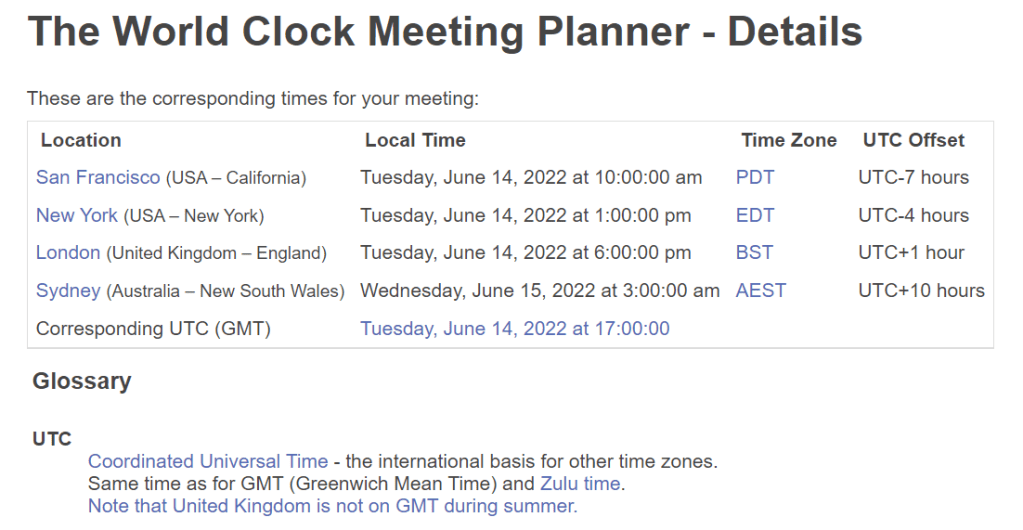
The usual time for game updates is 10 am Pacific, here’s a screenshot of when that is in a few time zones:

Link for when that will be in your own time zone.

What’s Expected in the Update

A) New Stuff:

1) New telescope

https://twitter.com/SimGuruNova/status/1536408680022675456
https://twitter.com/SimGuruNova/status/1536414213777657856
Link

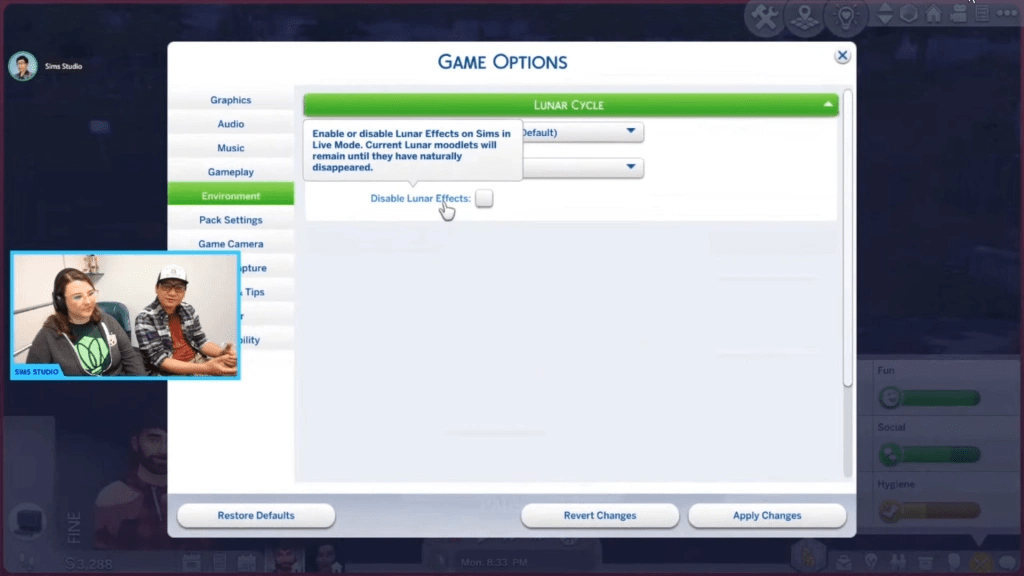
2) Lunar cycles

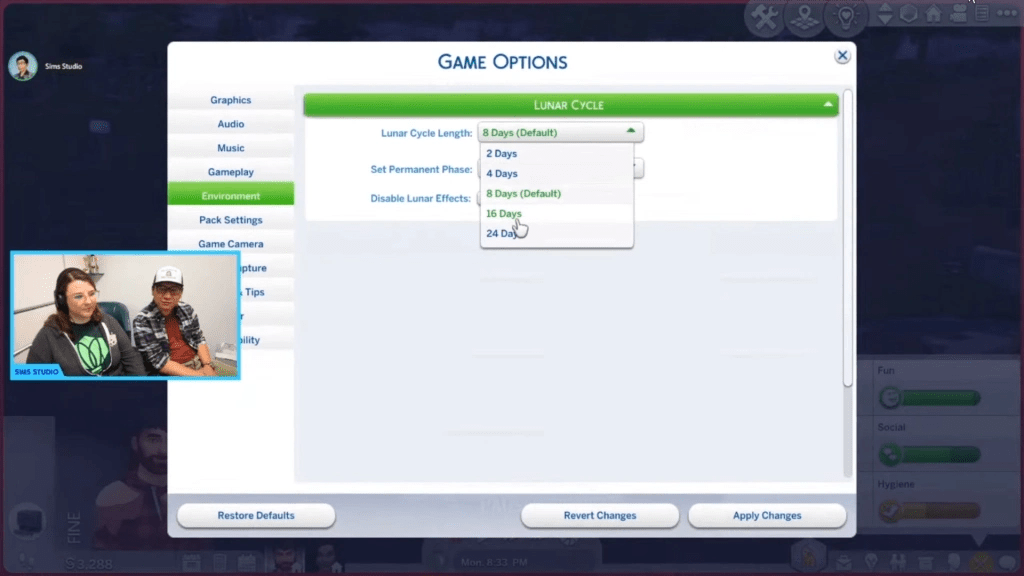
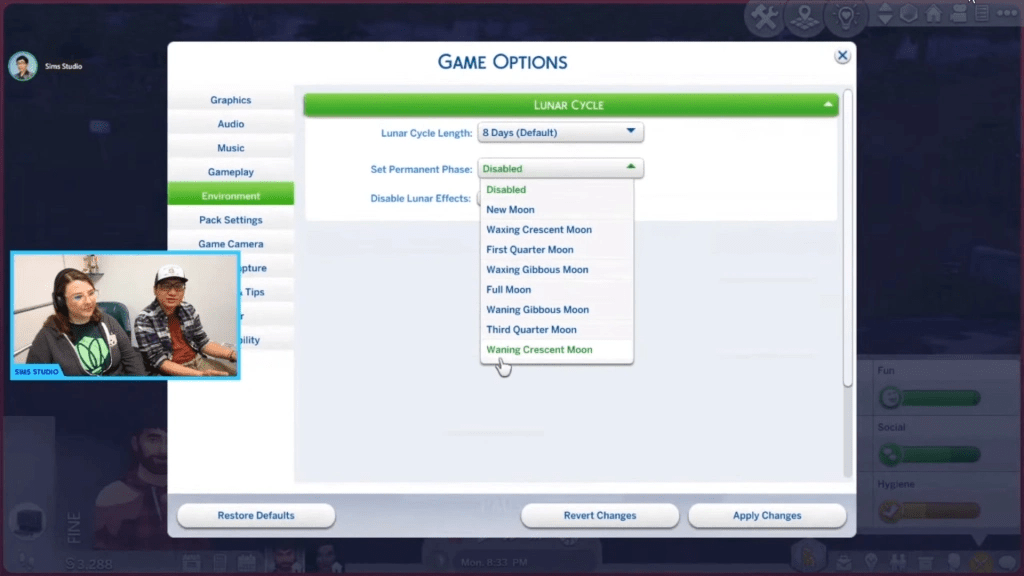
Lunar cycles affect werewolves (and other occults) more than regular sims, but regular sims are impacted a bit too. Kids can ask about the lunar cycles.  You can customize lunar cycles, i.e. their length, freeze it on one cycle and turn it off completely.

Screenshot from Livestream

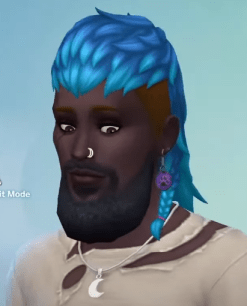
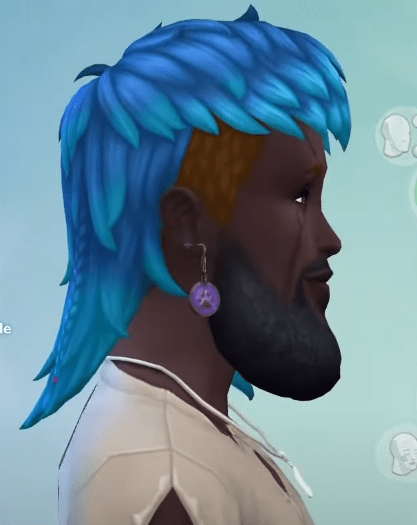
3) New beard

Screenshot from livestream, same beard, two different angles:

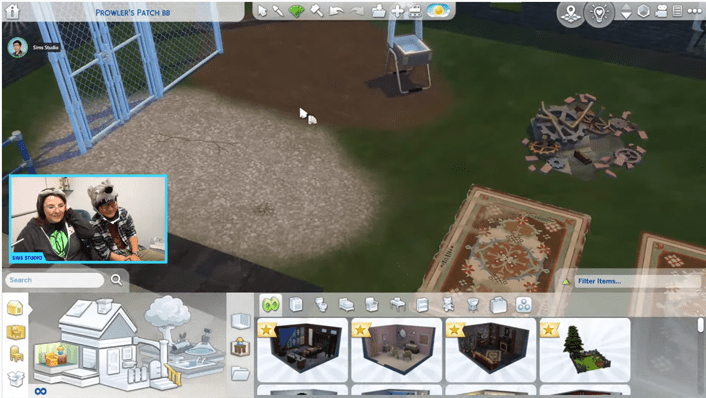
4) Two new terrain paints

Note new items added to base game do not show with a ‘new’ flag.

B) Bug Fixes from May 31 Laundry list

Laundry list link

How to Prepare

Basic Steps to Prepare for Computer Players

* Before you update:

1) Make a back up of your saves
2) Move your mods folder to your desktop

After you update:

3) Repair your game in Origin
4) Delete your localthumbcache file

* for more details see my tutorial video

⚠️Reminder: Mods & CC are automatically disabled with most updates⚠️

If you want to temporarily avoid the update, turn off automatic updates & go offline with Origin.

Forum Mod post tracking impact of Jun 14 game update on mods:

Note Luth is on vacation until Thursday per this tweet:

III) Random Tweets re Items in the Werewolves Game Pack (Jun 13/22):

New ‘night light’! (Link to tweet)

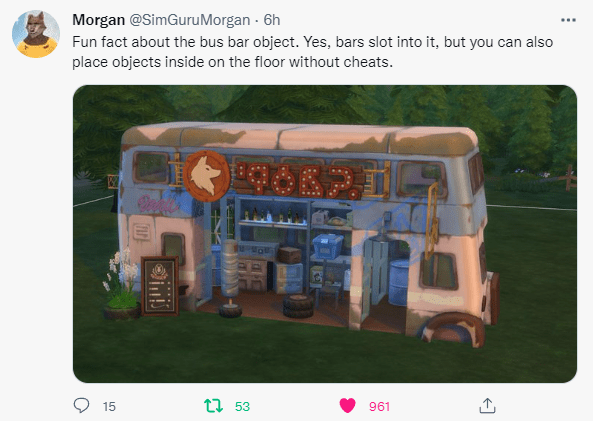
Information on the new ‘bus object’ (Link to tweet):

Link to my blog post overview of the Sims 4 Werewolves livestream.

Contact Me:

If you have any questions, need troubleshooting help or want to share your own Sims game play with other friendly Simmers please head over to my Facebook group, Sims Sanctuary or my Discord

Nov 10, 2020 Game Update (The Sims 4)

This week’s game update was a big one. It added a lot of new things to the game, there were a lot of bug fixes, some new issues, including crashing across all platforms, particularly PS4, and broke a lot of mods. Here are links to my various videos on the update, as well as links to the update notes, bug reports, forum post re mod impact & various tweets re the issues.

Video overview of What’s New & Common Issues that Were Fixed
Video overview of New Issues
Video regarding the Crashes & Info to Provide to EA
Video overview of the Mod Impact

Also, if you’re on Windows, here’s my video on how to clear packs from your repair queue if your game repair is taking too long.

Here’s my video tutorial on how to prepare for game updates:

Video playlist with all videos on the update

Supporting Links:

Update Notes

Forum post tracking the impact of this weeks game update on mods/cc * https://forums.thesims.com/en_US/discussion/983508/broken-updated-mods-cc-snowy-escape-nov-2020

* only mods/cc that don’t raise the game rating are tracked here. If you use the 18+ Basemental mod, make sure you have the version released since the game update as it is causing Script Fail errors.

Tweets by SimGuruNick re EA being aware of the crashing issues:

https://twitter.com/SimGuruNick/status/1327120591418220546
https://twitter.com/SimGuruNick/status/1326687038649769985

Post by SimGuruNick on the Sims Forums regarding the Crashing Issues: https://forums.thesims.com/en_US/discussion/983645/crashing-with-the-november-10-update

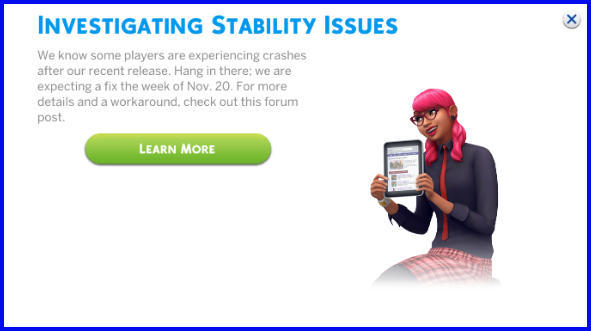
EA has indicated that they expect this to be fixed the week of November 20, 2020, per this in game message:

Main Menu Message re Stability Issues

EA AHQ Reports as mentioned in my video:

General bug forum: https://answers.ea.com/t5/Bug-Reports/bd-p/The-Sims-4-Bugs

Links for Reporting Crashing Issues:
Windows: https://tinyurl.com/yyunfluw
PS4: https://tinyurl.com/y4rmktyh
Mac: https://tinyurl.com/y2dkmgfw
XBoxOne: https://tinyurl.com/y2n5g9q7

PS4 Issues with Muting Sounds: https://answers.ea.com/t5/Bug-Reports/CURRENT-ISSUE-Muted-Sounds/m-p/9716869#M10885

Routing Issues with Open Staircases: https://answers.ea.com/t5/Bug-Reports/WORKAROUND-Open-staircase-cause-routing-failures/td-p/9716427

Sims not Aging up with Birthday Cakes: https://answers.ea.com/t5/Bug-Reports/OPEN-Sim-doesn-t-age-up-by-blowing-out-candles/m-p/9716468#M160343

Various Reports of Issues with Platforms (ie the new build item):
https://answers.ea.com/t5/Bug-Reports/NEEDS-INPUT-Can-t-place-certain-objects-on-platforms/m-p/9723044#M160949
https://answers.ea.com/t5/Bug-Reports/NEEDS-INPUT-Platforms-autonomously-raise-height/m-p/9719405#M160692
https://answers.ea.com/t5/Bug-Reports/NEEDS-INPUT-Can-t-place-some-objects-next-to-platforms/m-p/9723604#M160989

Origin Issues due to Missing Windows files (Windows, links for the missing files are in this report): https://answers.ea.com/t5/Technical-Issues-PC/CURRENT-ISSUE-Execution-cannot-proceed-because-MSVCP140-DLL-was/td-p/9716597

Anti Virus, Including Windows Defender, Blocking Origin/The Sims 4 (Windows): https://answers.ea.com/t5/Technical-Issues-PC/CURRENT-ISSUE-Anti-Virus-blocking-User-Folder-Screenshots/m-p/9572695

Repairing Game Slows Down Computer & Takes Forever (Windows): https://answers.ea.com/t5/Origin-Client-Web-Technical/Repairing-game-takes-forever-and-slows-down-the-pc/td-p/9677317

⚠️Crashing Issues Still Remaining Since the Audio Crash Issue was Fixed⚠️

Despite the Nov 17/18 game update to fix the audio crashing caused by the Nov 10 game update, there are still many reports of crashing in the game.

⚠️ One of the main causes of this can be the Father Winter tradition (requires Seasons), the other cause can be platforms. ⚠️

Here’s a link to the bug report (screenshot is from there), EA is aware of the isssue: https://answers.ea.com/t5/Bug-Reports/CURRENT-ISSUE-Game-Freeze-Extended-Loading-Times-Save-Game/td-p/9721871

There is a mod that is supposed to prevent the Father Winter Issue, see link at the bottom of this document.

There are also reported issues of crashing on MacBook Pros with an M1 chip, here’s a link to that report: https://answers.ea.com/t5/Technical-Issues-Mac/CURRENT-ISSUE-freezing-in-CAS-on-Mac-with-M1-chip/m-p/9717611#M39297

If you’re on console and this doesn’t appear to apply to you, here’s a link to a summary of other issues on EA AHQ, I recommend looking there: https://answers.ea.com/t5/Technical-Issues-Consoles/Read-First-Current-Issues-Game-Issues-or-Crashes-Patch-1-34-Nov/m-p/9168420#M8414

Other Common Issues Seen Since My Video & Their EA AHQ Links:

Removed Sim Traits still appear in Sim Info Panel:
https://answers.ea.com/t5/Bug-Reports/NEEDS-INPUT-Removed-Traits-Still-Show-Up-On-Info-Panels/m-p/9724003#M161014

Sims Reset Using the Digitalistic Sketchpad (mod to help is listed at the end):
https://answers.ea.com/t5/Bug-Reports/OPEN-Sims-reset-using-the-Digitalistic-Sketchpad/td-p/9716492

Kittens/Puppies not aging up (mod to help is listed at the end): https://answers.ea.com/t5/Bug-Reports/OPEN-CD-Kitten-won-t-age-up-even-with-treat-on-home-lot/m-p/9717664

Sims Don’t Autonomously Eat Leftovers/Keep Cooking when Hungry: https://answers.ea.com/t5/Bug-Reports/OPEN-Sims-cook-but-don-t-autonomously-eat-cook-more-eat-quick/td-p/9724949

Mods to help with some of the reported issues:

LittleMsSam Random mods includes one for the issue with aging up on a cake and with kittens/puppies not aging: https://littlemssam.tumblr.com/post/175412067973/random-bug-fixes-a-collection-of-random-small-bug

Mod to help stop the Father Winter Issue, however it will not fix the save if it’s already happened: https://www.patreon.com/posts/leroidetout-stop-41967978 (look for the mod with Father Winter in the name)

Mod for the Issue with the Digitalistic Sketchpad: https://modthesims.info/download.php?t=649414


Sims 4 Legacy Version Information

Note: as of Oct 14/19, release date still hasn’t been announced, it was originally scheduled for June 2019    
This overview includes:
1) Important Announcement from the EA Team re system support of old systems (this was made in March 2019).
2) How to find out what type of operating system you are on for Windows.
3) How to find out if this affects you as a Mac user
I expect that the majority of Windows computers are 64 bit system so this is not likely to affect that many Windows players. I can’t speak for the Mac players. For those it affects, there will be a legacy edition of the game available around June 2019, but you won’t get new updates after June 2019, you will not be able to buy new content released after February 2019 nor will you have access to the gallery. Exact timing has not been released yet.

1) IMPORTANT ANNOUNCEMENT FROM THE EA TEAM

June 10, 2019 Update:

Per SimGuruDuke, the roll out of the legacy version has been delayed. This means that those who will eventually be affected will be able to add Island Living to their game. https://twitter.com/SimGuruDuke/status/1138245606709686273

20190610SGDLegacybeingdelayed

Original Announcement:

“Today we are announcing some changes to the supported specifications for The Sims 4™ on PC and Mac. As of June 2019, we will no longer support The Sims 4 on Non-Metal Mac OS machines or PC 32-bit Operating Systems.”
“There will be a ‘The Sims 4™: Legacy Edition’ available for those who cannot update. This change is tentatively planned for June 2019. The Gallery, game banners, and social integrations will be disabled. The Sims 4: Legacy Edition will not display or allow any purchases of content released after February 2019.”
This same post has FAQ about the update, here’s a copy of what is said:
“The Sims 4: Legacy Edition FAQ


Where can I get The Sims 4: Legacy Edition?

The Sims 4: Legacy Edition will be available in June 2019. If you are an existing The Sims 4 owner, we will have instructions on this page which will walk you through the steps to get your free copy of The Sims 4: Legacy Edition when it is released. The Sims 4: Legacy Edition will not be made available to new players.

I already own The Sims 4, will I need to purchase The Sims 4: Legacy Edition?

No, if you are an existing The Sims 4 owner, you will be able to get your copy of The Sims 4: Legacy Edition for free once it’s available in June 2019.

When will this change happen and when will The Sims 4: Legacy Edition be available?

This change is tentatively planned for June 2019. If there are any changes to the planned June date, we will update it.

Will The Sims 4 on my Non-Metal Mac OS be automatically updated to the legacy version?

No, you will need to download The Sims 4: Legacy Edition. To find out if your Mac supports Metal, please check here https://support.apple.com/en-us/HT205073

Will The Sims 4 on my 32-bit OS PC be automatically updated to the legacy version?

No, you will need to download The Sims4: Legacy Edition.

Will The Sims 4: Legacy Edition receive any additional content or bug fixes in the future?

No, The Sims 4: Legacy Edition will not receive any more content or bug fixes.

Will any online features still work in The Sims 4: Legacy Edition?

The Gallery, game banners, and social integrations will be disabled. The Sims 4: Legacy Edition will not display or allow any purchases of content released after February 2019.

What Stuff Packs, Game Packs, and Expansion Packs can I play using The Sims 4: Legacy Edition?

You will be able to purchase and play all Stuff, Game and Expansion packs released between September 2, 2014 and February 26, 2019. This includes Luxury Party Stuff Pack, Perfect Patio Stuff Pack, Cool Kitchen Stuff Pack, Spooky Stuff Pack, Movie Hangout Stuff Pack, Romantic Garden Stuff Pack, Kids Room Stuff Pack, Backyard Stuff Pack, Vintage Glamour Stuff Pack, Bowling Night Stuff Pack, Fitness Stuff Pack, Toddler Stuff Pack, Laundry Day Stuff Pack, My First Pet Stuff Pack, Outdoor Retreat Game Pack, Spa Day Game Pack, Dine Out Game Pack, Vampires Game Pack, Parenthood Game Pack, Jungle Adventure Game Pack, StrangerVille Game Pack, Get Together Expansion Pack, Get To Work Expansion Pack, City Living Expansion Pack, Cats & Dogs Expansion Pack, Seasons Expansion Pack and Get Famous Expansion Pack.

Content released after February 2019 will require you to upgrade your system.

Will custom content still work with The Sims 4: Legacy Edition?

It will be up to the custom content or mod developer to decide to support their custom content for both The Sims 4 and The Sims 4: Legacy Edition.

Will there be different versions of The Sims 4: Legacy Edition for Non-Metal Mac OS and 32-bit PC OS?

There will be one version of The Sims 4: Legacy Edition that you will be able to download.

Will my save files still work in The Sims 4: Legacy Edition?

Yes, save files will still work with The Sims 4: Legacy Edition. Instructions on “how to” will be published once The Sims 4: Legacy Edition is released.”

2) How to Find Out if you are on a 32 or 64 bit System in Windows:

You can find out what version of Windows you have by going into your system information. To do this on Windows 8 or 10, right mouse click on your windows icon on the bottom left hand corner of your screen.  Then select ‘System’, which will pull up your system information.  The System Type will indicate if it is 32 bit or 64 bit.
Alternatively, here’s a link to Microsoft’s site which explains how to tell whether you are on a 32 or 64 bit system. https://support.microsoft.com/en-gb/help/827218/how-to-determine-whether-a-computer-is-running-a-32-bit-version-or-64
Article on EA’s site with information on the difference between 32 or 64 bit System in Windows. https://help.ea.com/en-nz/help/the-sims/the-sims-4/when-to-use-the-sims-4-64-bit-or-32-bit-version/

3) How to Find Out if it Affects you as a Mac User:

I recommend you comment on her site if you need help.